
The finance team ask you to enhance the vendor open items report FBL1N with the name of the vendor (LFA1-NAME1). This is a classical request. With the following explanations, you will be able to add any extra field in the open items reports FBLxN.
Lire la suiteThis enhancement involves to manage several objects:
- Standard table T021S (Transaction code O7R3).
- Standard structures RFPOS and RFPOSX.
- Append structure to add to RFPOS and RFPOSX structures
- Program RFPOSXEXTEND
- Business Transaction Event (BTE) 1650
- Transaction SE37 to develop a new function module.
Step 1 : Manage the table T021S
You can extend the display of FBL1N, FBL3N or FBL5N reports with the fields allowed in tcode O7R3 in the SPRO menu.
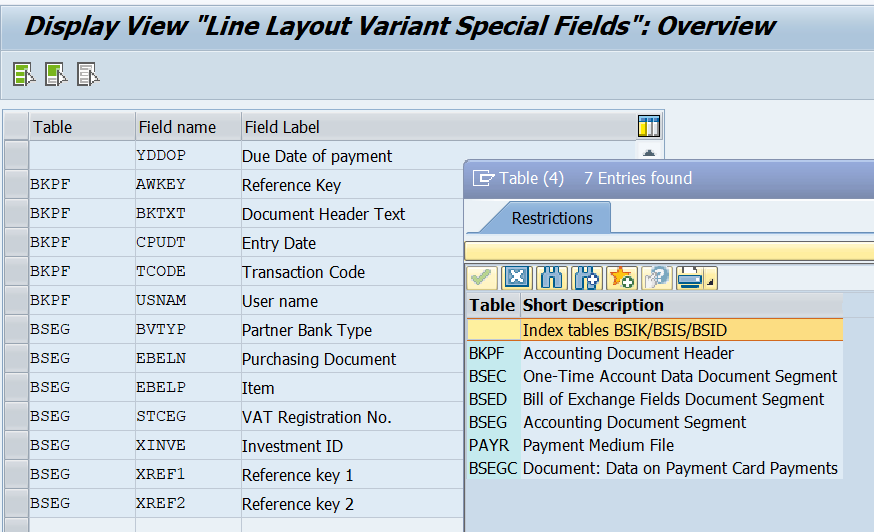
As you can see in the matchcode, only the tables related to the accounting document are available (BKPF, BSEC, BSED, BSEG, PAYR, BSEGC).
So if you need to manage the field BSEG-XREF1, you can add it here, as it is part of a table assigned to this customizing point.
But if you need to manage the field LFA1-NAME1 (Vendor name) you cannot use this customizing point, as the table LFA1 is not part of the list.
Step 2 : Manage the structure RFPOS and RFPOSX.
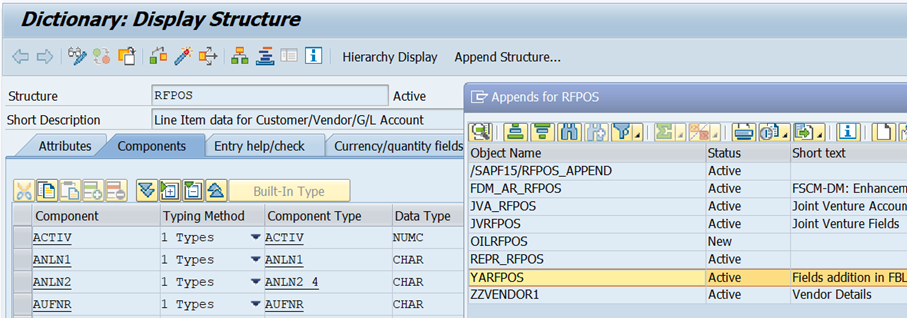
Check in the dictionary (SE11) if the field you want to manage is already defined in the structures RFPOS and RFPOSX.
If the field is not there, you must create an append structure in the ABAP dictionary for the structures RFPOS and RFPOSX.
Manage the structure RFPOSX with an append structure YARFPOSX (you are free to name it as you want).
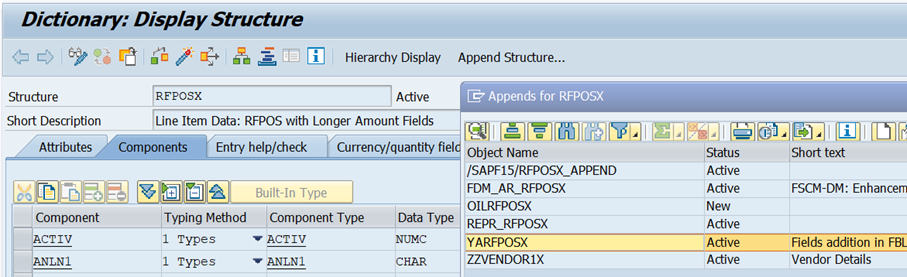
If you want to add the vendor name (LFA1-NAME1) you can create a custom field ZZNAME1 defined like LFA1-NAME1, in the append structure.
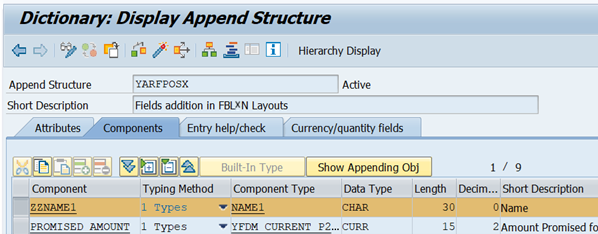
Do the same for the structure RFPOS with an append structure YARFPOS and the same custom field ZZNAME1.
Step 3 : Generate the new format of structure RFPOSXEXT.
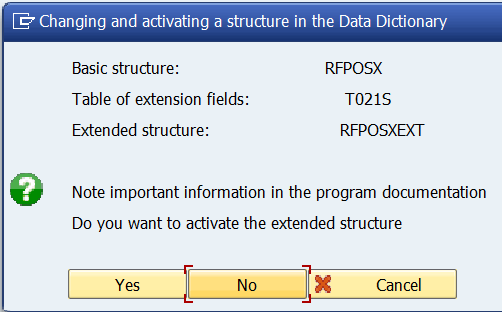
Program RFPOSXEXTEND combines structure RFPOSXEXT from the fields of structure RFPOSX and the special fields saved in table T021S together and activates them in the Data Dictionary.
Run tcode SE38 with program RFPOSXEXTEND to regenerate the global structure RFPOSXEXT.
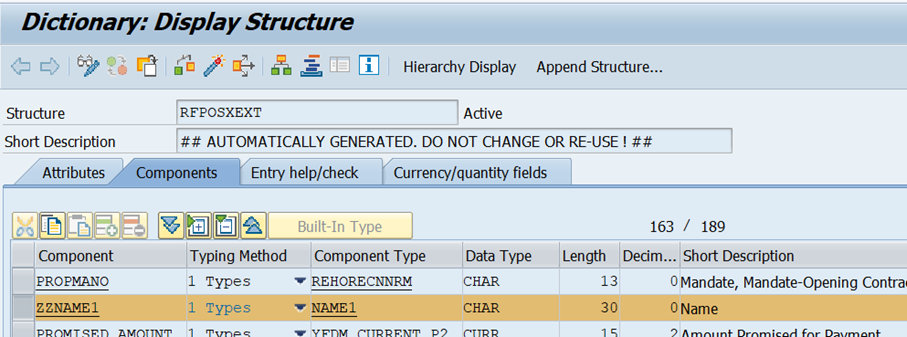
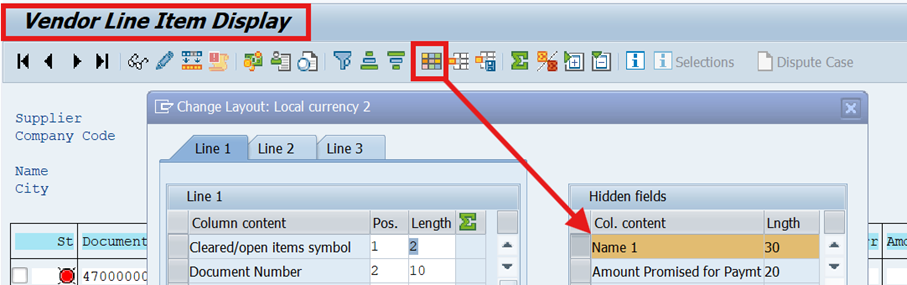
Step 4 : Check the new field in the reports FBL1N, FBL3N, FBL5N.
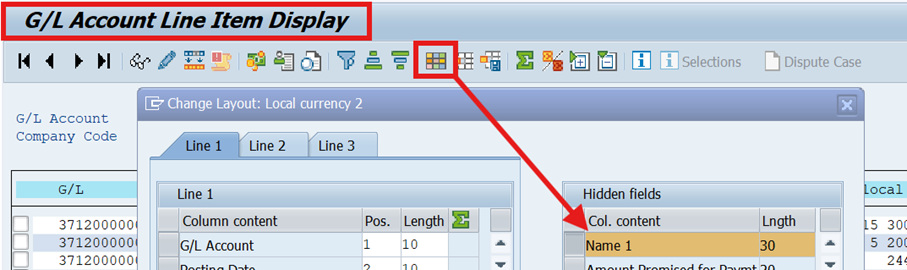
Choose any data to display and check the availability of the new field « NAME 1 » in the layout of all 3 reports.
FBL1N report
FBL3N report
FBL5N report
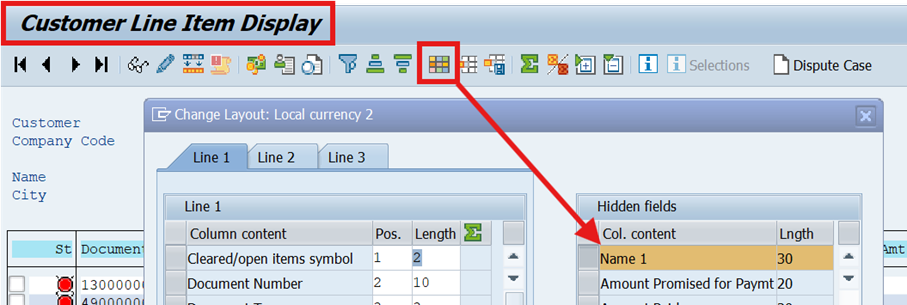
Now you have the field you must manage the way to fill it with the right content.
Step 5 : Business transaction event 1650 (tcode FIBF)
To be able to populate the vendor name in the field ZZNAME1, you must activate the BTE 1650.
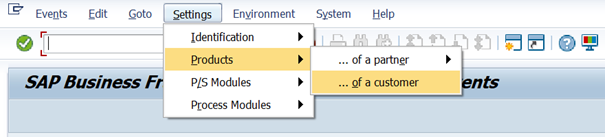
Run tcode FIBF. Select “Settings / Products / of a customer”
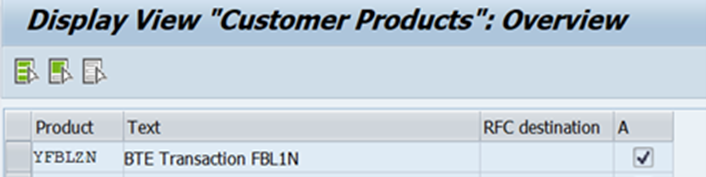
Name the product and activate it. Here we create a product named « YFBLZN » with a description « BTE Transaction FBL1N ». And don’t forget to tick the box « Activate ».
Now Select “Settings / P/S Modules / of a customer”.
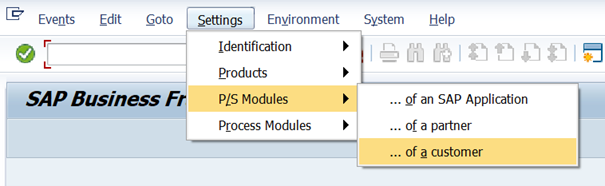
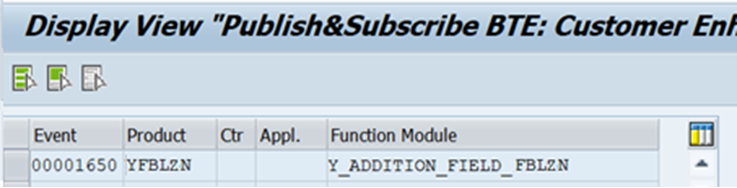
You must call the BTE 1650 and assign the product you defined for it. Then you must add the name of a new function module.
Here we have created the FM « Y_ADDITION_FIELD_FBLZN » wich will contain the abap code to populate the field ZZNAME1.
Step 6 : Create the function module to manage the new field content.
Run tcode SE37 and call the template FM « OPEN_FI_PERFORM_00001650_E ».
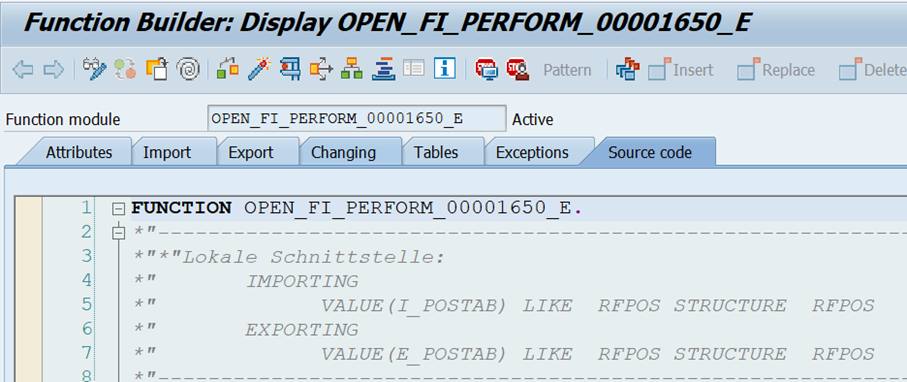
For our example, we have copied this FM « OPEN_FI_PERFORM_00001650_E » to a new FM « Y_ADDITION_FIELD_FBLZN » and we added the logic to fill the name of a vendor for FBL1N report, or a customer for FBL5N report (based on the account type found in the item of the accounting document).
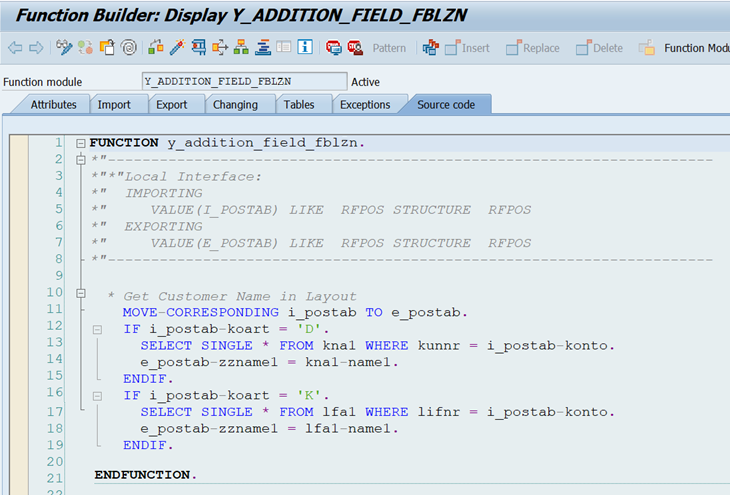
As a result, when you run the vendor open items report FBL1N, the name of the vendor is now available.
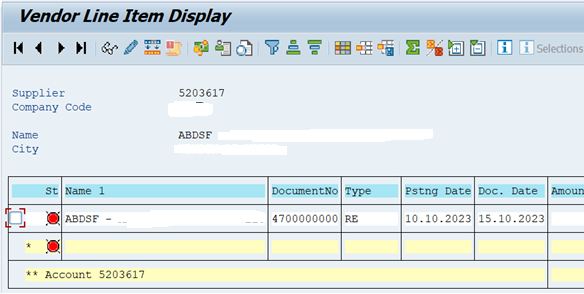
Each accounting document selected in the reports are going through the function module one item after the other.
You can use BKPF or BSEG fields to retrieve any relevant values in your system and populate your custom fields accordingly.
(Courtesy of Easyliks.com. Enjoy 😊).